How to build a Responsive Contact Us Page using Bootstrap 5 | Bootstrap 5 Tutorial
How to build a Responsive Contact Us Page using Bootstrap 5
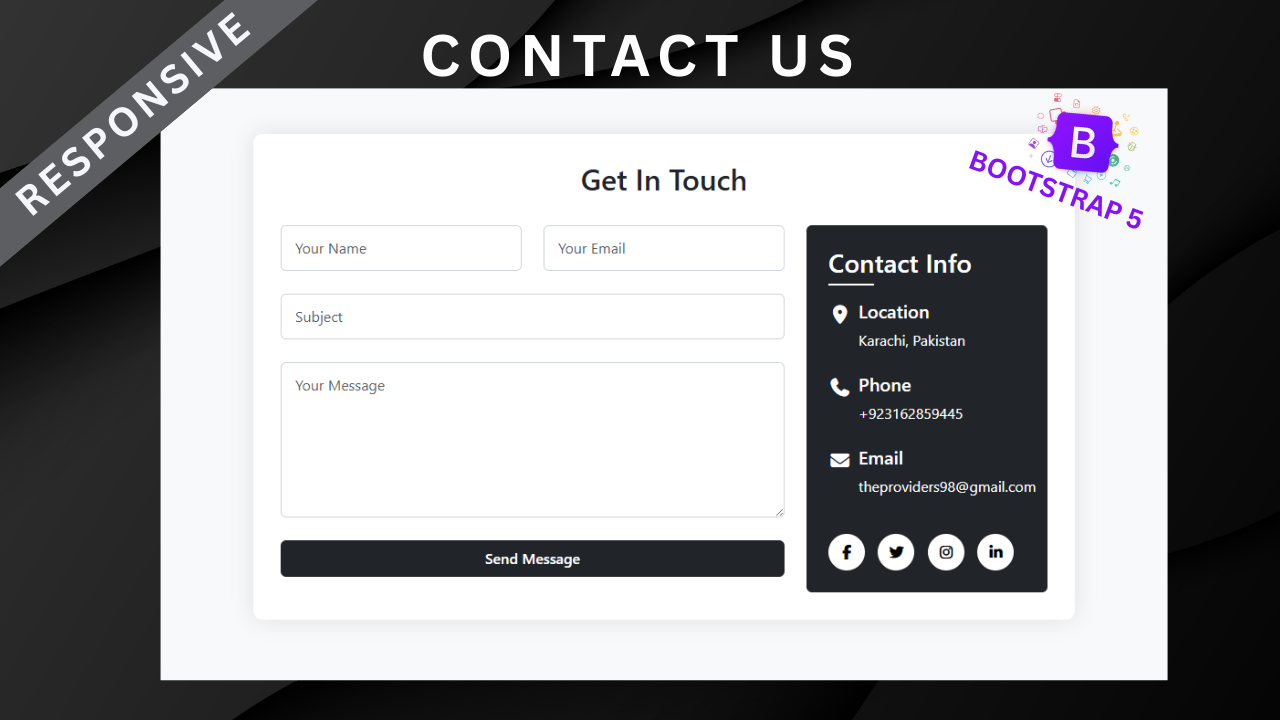
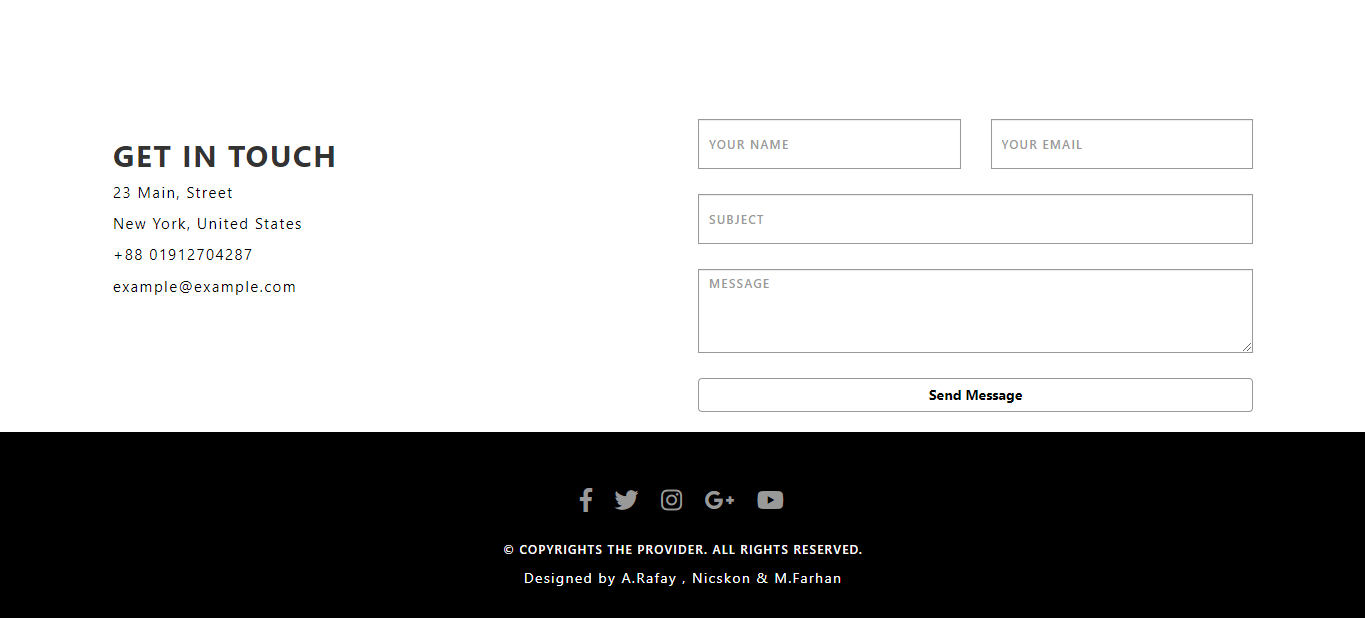
In this tutorial, you’ll learn how to design and build a responsive Contact Us page using Bootstrap 5. A contact page is one of the most essential parts of any website—it allows visitors to easily get in touch, send inquiries, or provide feedback. With Bootstrap 5’s powerful grid system and form components, you can create a professional and user-friendly contact section without writing much custom CSS.
This design is perfect for any type of website, whether it’s a business site, personal portfolio, or blog. By following along step by step, you’ll learn how to structure and style a modern contact page that looks great on desktops, tablets, and smartphones.
Features of the Contact Us Page
-
Built with Bootstrap 5 only (no extra CSS required)
-
Fully responsive layout for all devices
-
Includes a contact form, company details, and social links
-
Clean, modern, and professional design
-
Easy to integrate into any existing website
What You’ll Learn
-
How to build a Contact Us form using Bootstrap 5 form controls
-
How to design a responsive two-column layout (form + contact info)
-
How to use Bootstrap utilities for spacing, alignment, and responsiveness
-
How to make the page mobile-friendly with collapse and grid system
By the end of this tutorial, you’ll have a fully functional Contact Us page that not only looks professional but also improves the user experience of your website.
Let's start with HTML CODE:
                                <!DOCTYPE html>
<html lang="en">
<head>
    <meta charset="UTF-8">
    <meta name="viewport" content="width=device-width, initial-scale=1.0">
    <title>Responsive Contact Form Bootstrap 5 </title>
    <link href="https://cdn.jsdelivr.net/npm/bootstrap@5.3.8/dist/css/bootstrap.min.css" rel="stylesheet" integrity="sha384-sRIl4kxILFvY47J16cr9ZwB07vP4J8+LH7qKQnuqkuIAvNWLzeN8tE5YBujZqJLB" crossorigin="anonymous">
<link rel="stylesheet" href="https://cdnjs.cloudflare.com/ajax/libs/font-awesome/7.0.0/css/all.min.css" integrity="sha512-DxV+EoADOkOygM4IR9yXP8Sb2qwgidEmeqAEmDKIOfPRQZOWbXCzLC6vjbZyy0vPisbH2SyW27+ddLVCN+OMzQ==" crossorigin="anonymous" referrerpolicy="no-referrer" />
</head>
<body>

        <div class="container">
            <div class="contact-container bg-white">
                <h2 class="contact-header text-center text-dark mb-4 pb-2">Get In Touch</h2>
                <div class="row">
                    <div class="col-lg-8">
                        <form action="">
                            <div class="row">
                                <div class="col-md-6">
                                    <div class="form-group">
                                        <input type="text" name="" class="form-control" placeholder="Your Name" id="">
                                    </div>
                                </div>
                                <div class="col-md-6">
                                    <div class="form-group">
                                        <input type="email" name="" class="form-control" required placeholder="Your Email" id="">
                                    </div>
                                </div>
                            </div>
                            <div class="form-group">
                                <input type="text" name="subject" placeholder="Subject" class="form-control" required id="">
                            </div>
                            <div class="form-group">
                                <textarea name="" class="form-control" placeholder="Your Message" rows="6" id=""></textarea>
                            </div>
                            <button type="submit" class="btn btn-dark w-100 btn-submit py-2 text-white border-0">Send Message</button>
                        </form>
                    </div>
                    <div class="col-lg-4">
                        <div class="contact-info bg-dark text-white rounded p-4">
                            <h3 class="mb-3 pb-2">Contact Info</h3>
                            <div class="contact-info-item d-flex mb-2">
                                <div class="contact-info-icon text-white me-2 fs-5">
                                    <i class="fas fa-map-marker-alt"></i>
                                </div>
                                <div>
                                    <h5>Location</h5>
                                    <p>Karachi, Pakistan</p>
                                </div>
                            </div>
                            <div class="contact-info-item d-flex mb-2">
                                <div class="contact-info-icon text-white me-2 fs-5">
                                    <i class="fas fa-phone"></i>
                                </div>
                                <div>
                                    <h5>Phone</h5>
                                    <p>+923162859445</p>
                                </div>
                            </div>
                            <div class="contact-info-item d-flex mb-2">
                                <div class="contact-info-icon text-white me-2 fs-5">
                                    <i class="fas fa-envelope"></i>
                                </div>
                                <div>
                                    <h5>Email</h5>
                                    <p>theproviders98@gmail.com</p>
                                </div>
                            </div>
                            <div class="social-icons mt-4">
                                <a href="#"><i class="fab fa-facebook-f"></i></a>
                                <a href="#"><i class="fab fa-twitter"></i></a>
                                <a href="#"><i class="fab fa-instagram"></i></a>
                                <a href="#"><i class="fab fa-linkedin-in"></i></a>
                            </div>
                        </div>
                    </div>
                </div>
            </div>
        </div>
    <script src="https://cdn.jsdelivr.net/npm/bootstrap@5.3.8/dist/js/bootstrap.bundle.min.js" integrity="sha384-FKyoEForCGlyvwx9Hj09JcYn3nv7wiPVlz7YYwJrWVcXK/BmnVDxM+D2scQbITxI" crossorigin="anonymous"></script>
</body>
</html>
Now CSS code (Internal styling):
                                <style>
    body{
        background-color: #f8f9fa;
        color: #212529;
        font-family: 'Segoe UI', Tahoma, Geneva, Verdana, sans-serif;
    }
    .contact-container{
        border-radius: 10px;
        box-shadow: 0 0 25px rgba(0, 0, 0, 0.1);
        margin: 50px auto;
        padding: 30px;
        max-width: 900px;
    }
    .form-control{
        border: 1px solid #ced4da;
        padding: 12px 15px;
        margin-bottom: 25px;
        transition: all 0.3s;
    }
    .form-control:focus{
        border-color: #000;
        box-shadow: 0 0 0 0.25rem rgba(0, 0, 0, 0.25);
    }
    .btn-submit{
        font-weight: 600;
        transition: all 0.3s;
    }
    .btn-submit:hover{
        background-color: #333;
        transform: translateY(-2px);
    }
    .contact-info h3{
        position: relative;
    }
    .contact-info h3:after{
        content: '';
        position: absolute;
        bottom: 0;
        left: 0;
        width: 50px;
        height: 2px;
        background: #fff;
    }
    .social-icons a{
        display: inline-block;
        width: 40px;
        height: 40px;
        background-color: #fff;
        color: #000;
        border-radius: 50%;
        text-align: center;
        line-height: 40px;
        margin-right: 10px;
        transition: all 0.3s;
    }
    .social-icons a:hover{
        background-color: #333;
        color: #fff;
        transform: translateY(-3px);
    }
    @media (max-width: 991px) {
        .contact-info{
            margin-top: 30px;
        }
    }
    @media (max-width: 450px){
        .social-icons a{
            margin-right: 5px;
        }
    }
</style>
Recent Post



Most Popular Post



Categories
- HTML & CSS9
- Bootstrap4
- Login Forms11
- Sidebar Menu1
- Card Design1
- CSS Buttons3
- Social Media Buttons1
- Preloader or Loaders5
- Neumorphism Designs3
- Contact Forms6
- Responsive Footers8
- Javascript4
- Websites3
- Bootstrap Cards0
- Vanilla JavaScript1
- jQuery Effects0
- Bootstrap Sidebar Menus0
- CSS Sidebar Menus0
- Navigation Bars4
- Responsive Gallery3
- Responsive Feedback Page5
- Blog0