Countdown JavaScript | Countdown clock in JS using HTML & CSS | Countdown Timer with JavaScript
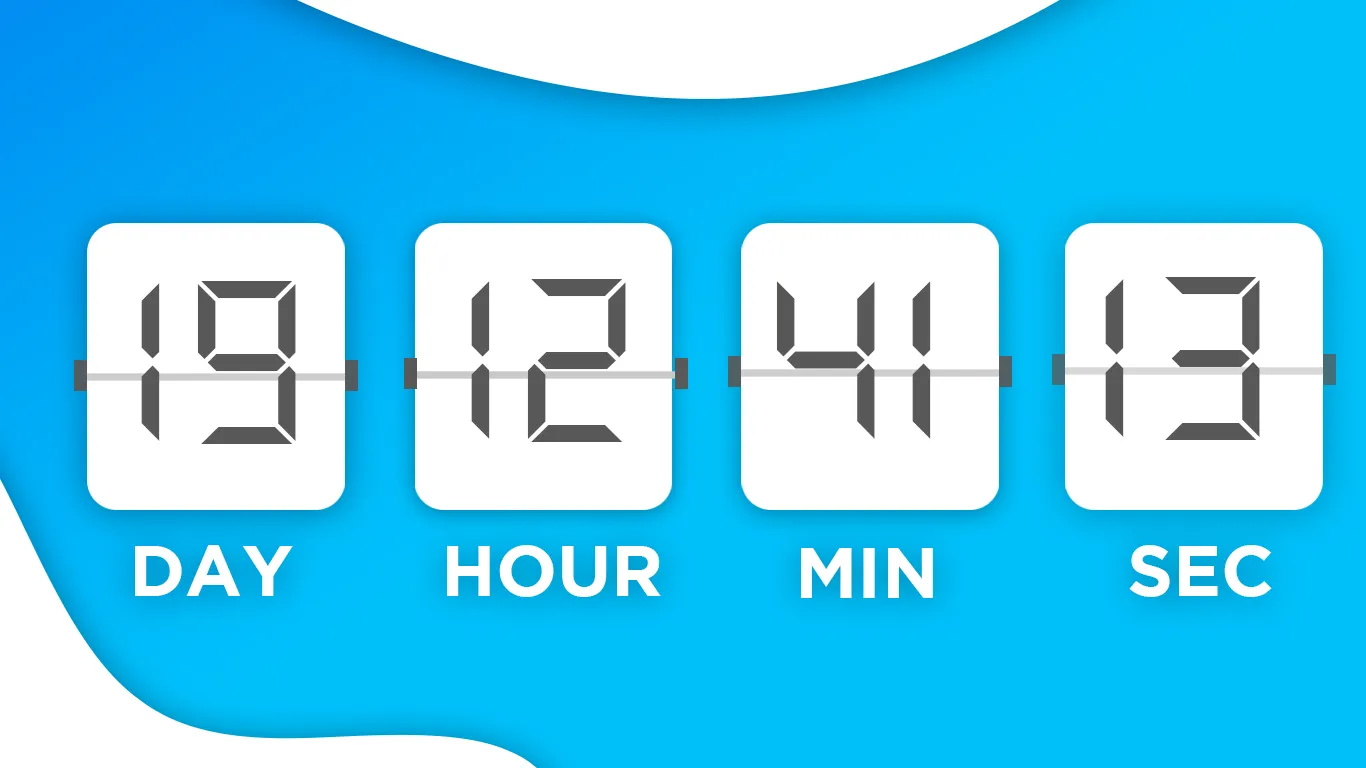
Countdown JavaScript | Countdown clock in JS using HTML & CSS | Countdown Timer with JavaScript
In this tutorial, you’ll learn how to create a web-based countdown timer using HTML, CSS, and JavaScript. A countdown timer is a useful feature that can be used for events, sales, product launches, or coming soon pages. With just a few lines of JavaScript, you can display a live ticking timer that updates every second.
We’ll walk step by step through building a simple countdown clock that shows days, hours, minutes, and seconds remaining until a target date. The design will be styled with HTML and CSS for a clean and modern look, while JavaScript will handle the logic to update the timer dynamically.
Features of the Countdown Timer
-
Built with HTML, CSS, and JavaScript
-
Live countdown clock that updates automatically
-
Fully responsive and mobile-friendly
-
Clean, simple, and beginner-friendly design
-
Can be customized for events, launches, or sales
What You’ll Learn
-
How to set up a timer structure with HTML
-
How to style a countdown clock using CSS
-
How to write JavaScript to calculate the time difference
-
How to update the display every second with
setInterval() -
How to stop the timer when the countdown reaches zero
By the end of this tutorial, you’ll have a fully functional countdown timer that you can integrate into your website for any upcoming event.
Let's Start HTML:
                                <!DOCTYPE HTML>
<html>

<head>
  <!-- Google Font -->
  <link href="https://fonts.googleapis.com/css2?family=Titillium+Web:wght@300;400&display=swap" rel="stylesheet">
  <!-- Style Sheet -->
  <link rel="stylesheet" type="text/css" href="style.css">
</head>
<body>

  <div class="heading">
    <p>Are Yor Ready We're Coming Soon With</p>
    <h2>Online Web Course's</h2>
  </div>

  <div class="timer">
    <p id="day"></p>
    <h6>days</h6>
  </div>

  <div class="timer">
    <p id="hour"></p>
    <h6>hours</h6>
  </div>

  <div class="timer">
    <p id="minute"></p>
    <h6>minutes</h6>
  </div>
  <div class="timer">
    <p id="second"></p>
    <h6>seconds</h6>
  </div>

</body>
</html>
                                <style>
body {
    margin: 0;
    padding: 0;
    font-family: 'Titillium Web', sans-serif;
    background: url(https://i.pinimg.com/originals/fa/c0/5c/fac05c110c458e9bab3a3248bfb3c376.jpg) no-repeat center;
    height: 100vh;
    justify-content: center;
    align-items: center;
    display: flex;
  }

  .heading {
    position: absolute;
    top: 10%;
    text-align: center;
  }

  .heading p {
    font-size: 1.4em;
    line-height: 0;
    color: #fff;
  }

  .heading h2 {
    font-size: 3.5em;
    line-height: 0;
    color: #fff;
  }

  .timer {
    margin: 15px 30px;
    width: 120px;
    background: rgba(0, 0, 0, 0.5);
    text-align: center;
    border-radius: 10px;
    box-shadow: 15px 10px 20px #6660;
    cursor: pointer;
  }

  .timer p {
    color: #fff;
    font-size: 45px;
    margin: 25px 8px;
  }

  .timer h6 {
    margin: 0;
    padding: 10px;
    font-size: 1em;
    background: #000;
    color: #fff;
    text-transform: uppercase;
    border-bottom-right-radius: 10px;
    border-bottom-left-radius: 10px;
    box-shadow: 15px 10px 20px #000;
  }
</style>
                                <script>
var countDownDate = new Date("May 24, 2024 01:08:25").getTime();
    var x = setInterval(function () {

      var now = new Date().getTime();
      var distance = countDownDate - now;


      var days = Math.floor(distance / (1000 * 60 * 60 * 24));
      var hours = Math.floor((distance % (1000 * 60 * 60 * 24)) / (1000 * 60 * 60));
      var minutes = Math.floor((distance % (1000 * 60 * 60)) / (1000 * 60));
      var seconds = Math.floor((distance % (1000 * 60)) / 1000);

      document.getElementById("day").innerHTML = days;
      document.getElementById("hour").innerHTML = hours;
      document.getElementById("minute").innerHTML = minutes;
      document.getElementById("second").innerHTML = seconds;
    });
</script>
Conclusion: Countdown using javascript is easily.
Recent Post




Most Popular Post





Categories
- HTML & CSS9
- Bootstrap4
- Login Forms11
- Sidebar Menu1
- Card Design1
- CSS Buttons3
- Social Media Buttons1
- Preloader or Loaders5
- Neumorphism Designs3
- Contact Forms6
- Responsive Footers8
- Javascript4
- Websites3
- Bootstrap Cards0
- Vanilla JavaScript1
- jQuery Effects0
- Bootstrap Sidebar Menus0
- CSS Sidebar Menus0
- Navigation Bars4
- Responsive Gallery3
- Responsive Feedback Page5
- Blog0